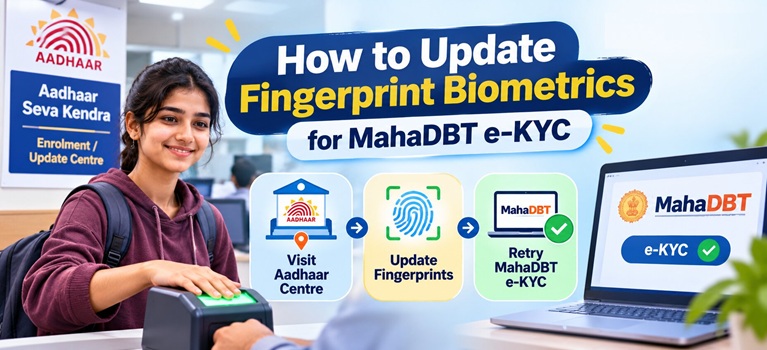

Why Fingerprint Biometrics May Need Updating for MahaDBT e-KYC
| Reason | Explanation |
| Worn or degraded fingerprints | Fingerprint ridges fade over time due to age, manual labour, or skin conditions, making the stored biometric no longer match |
| Poor quality capture at original enrolment | If fingerprints were poorly captured when Aadhaar was first made, authentication has always been prone to failure |
| Child turning 5 or 15 years of age | UIDAI requires compulsory biometric update at age 5 and age 15 for children enrolled earlier |
| Adults enrolled over 10 years ago | UIDAI recommends biometric updates every 10 years after the age of 15 |
| Biometric lock enabled | The student or parent may have activated the biometric lock feature on the Aadhaar app, which blocks all fingerprint, iris, and face authentication |
| Error 812: Best Finger Detection not done | This error means the system cannot identify a reliable finger; BFD must be completed at a centre |
Also Read: MahaDBT Scholarship
First Check Whether the Issue Is a Biometric Lock
Before visiting any centre, check whether the Aadhaar biometric lock is active, as this is the most common and quickest-to-fix cause of fingerprint failure.
1. Visit myaadhaar.uidai.gov.in or open the Aadhaar app
2. Navigate to “Lock/Unlock Biometric”
3. If the lock is active, a temporary unlock (valid for approximately 15 minutes) can be enabled using an OTP sent to the registered mobile number

5. Error code 330 during authentication confirms the biometric lock is the cause
If the biometric lock is not the issue and fingerprints continue to fail, the stored biometric itself needs to be updated at a UIDAI centre.
How to Update Fingerprint Biometrics for MahaDBT e-KYC
Biometric updates, including fingerprints, iris, and photograph, can only be done in person at an Aadhaar Enrolment Centre or Aadhaar Seva Kendra. This cannot be done online.
1. Locate the nearest Aadhaar Enrolment Centre or Aadhaar Seva Kendra at appointments.uidai.gov.in

3. At the centre, fill the Aadhaar Enrolment/Correction/Update Form and request a biometric update
4. The operator will capture all ten fingerprints, both irises, and a photograph using the Update Client Standard system
5. After the process, an acknowledgement slip is issued containing the Update Request Number (URN)
6. Keep the URN safe; it is required to track the update status
The new biometric data is processed by UIDAI and the updated fingerprints become available for authentication. This process typically takes 10 to 30 days to reflect in UIDAI’s live authentication servers. After confirmation, retry the MahaDBT e-KYC.
Before the Update Is Processed: Try Alternative Authentication
While waiting for the biometric update to complete, MahaDBT e-KYC can potentially be attempted using alternative Aadhaar authentication modes, subject to portal availability:
1. OTP-based e-KYC: If the Aadhaar-registered mobile number is active, OTP authentication does not require fingerprints and is unaffected by biometric lock or degraded fingerprints
2. Iris authentication: Iris can be used as an alternative to fingerprint at a biometric-enabled centre or kiosk
3. Face authentication: UIDAI offers face authentication as a touchless alternative, described as the best solution for worn or damaged fingerprints
Students may also approach a Common Service Centre (CSC) for assisted biometric e-KYC using alternative modalities.
Tracking the Fingerprint Biometric Update Status
1. Visit myaadhaar.uidai.gov.in and go to the “Check Aadhaar Update Status” section
2. Enter the Update Request Number (URN) from the acknowledgement slip
3. The portal will display whether the biometric update is pending, in process, or completed
Helpline Contacts
1. UIDAI Toll-Free Helpline: 1947
2. UIDAI Email: help@uidai.gov.in
3. MahaDBT Portal Helpline: 022-49150800
4. MahaDBT Official Portal: mahadbt2.maharashtra.gov.in
Also Read: How to Unlock Aadhaar Biometrics for MahaDBT Portal