Why Are Aadhaar Biometrics Locked and Why Does MahaDBT Need Them Unlocked?

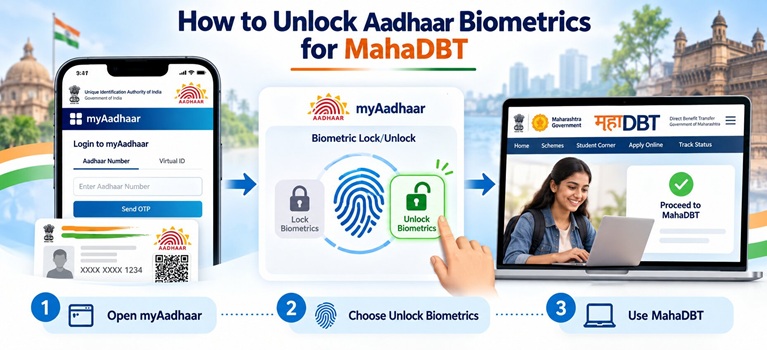
The UIDAI mentions that it is possible to unlock Aadhaar biometrics using the UIDAI website, the mAadhaar app, an Aadhaar Seva Kendra (ASK), or an enrolment centre. However, the most accessible method for most users would be the myAadhaar portal.
Important: A registered mobile number linked to your Aadhaar is mandatory to unlock the biometrics through any of the aforementioned digital methods. If your mobile number is not registered, you will have to visit the nearest Aadhaar Enrolment Centre or Mobile Update End Point to unlock your Aadhaar biometrics.
Methods to Unlock Aadhaar Biometrics
You can unlock your Aadhaar Biometrics via two methods that has been stated below:
Method 1: Unlock Aadhaar Biometrics via myAadhaar Portal
This is the fastest method and can be completed in under 5 minutes.
1. Open a browser and visit myaadhaar.uidai.gov.in.

3. Enter the captcha code sent on your screen and click on Send OTP.
4. Enter the OTP received on your mobile number (registered with the Aadhaar) to log in.
5. On the dashboard, click on My Aadhaar, followed by Lock/Unlock Biometrics (under Aadhaar Services).
6. Click on the consent checkbox to authorize the request.

8. Enter the captcha code, click on Send OTP, enter the OTP received on your mobile number to complete the request.
Your Aadhaar biometrics are now unlocked. A temporary unlock of Aadhaar biometrics only lasts for about 10 minutes, after which the UIDAI relocks them. Complete your MahaDBT portal authentication within this time frame to renew your scholarship seamlessly.
Method 2: Unlock Aadhaar Biometrics via mAadhaar App
This method is ideal for users who wish to complete the process on their mobile phones
1. Download the mAadhaar app on your android phone from the Google Play Store.
2. Log in to the application with your 6-digit app-specific PIN.
3. Tap on the option for Biometric Lock/Unlock (either from the home screen of the app or the Security tab).
4. Click on Unlock Biometrics to begin the process.
5. An OTP will be sent to the mobile number registered with the Aadhaar card. Enter the OTP to complete the request.
6. Your Aadhaar biometrics are now temporarily unlocked. You can proceed to the MahaDBT portal and complete the required authentication within the stipulated time frame.
Method 3: Unlock Aadhaar Biometrics via SMS (No Internet Needed)
This method is ideal for users without a stable internet connection.
1. Open a message application on your mobile phone (the phone number should be the one registered with your Aadhaar).
2. Type UNLOCKUID followed by a space and the last six digits of your Virtual ID (VID).
3. Send the message to 1947.
4. You will receive a one-time-password (OTP) in reply to your message.
5. In turn, send this OTP back to 1947 in the format mentioned in the reply message to complete the request.
6. To generate a V ID, send GVID followed by the last four digits of your Aadhaar number to 1947 if you do not have a V ID.
Key Points to Remember
1. Only you can unlock your biometrics. The registered mobile number OTP ensures no third party can do this on your behalf.
2. Temporary unlocking lasts approximately 10 minutes. Complete the MahaDBT authentication without delay.
3. No fee is charged for locking, unlocking, or disabling the biometric lock on the UIDAI portal or mAadhaar app.
4. If you have permanently removed the lock (“Disable the Locking System”), biometrics are always available and no unlock step is needed in future.
5. For MahaDBT specifically, if authentication still fails after unlocking, verify that the bank account linked on the portal is Aadhaar-seeded and active.