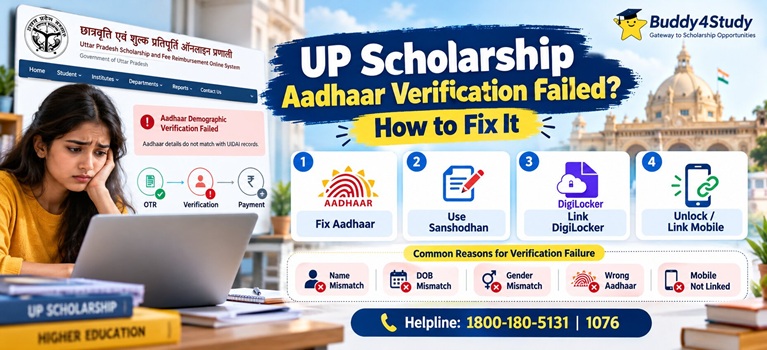

Common Reasons Why Aadhaar Demographic Verification Fails
| Reason | Explanation |
| Name mismatch | The name on the scholarship form or academic record differs even slightly from the name registered with UIDAI |
| Date of birth mismatch | The DOB on the marksheet or form does not match the DOB stored in Aadhaar |
| Gender mismatch | Gender entered in the form does not match Aadhaar records |
| Mobile number not linked to Aadhaar | OTP for authentication cannot be received |
| DigiLocker not set up | Aadhaar card not added to DigiLocker Issued Documents; mandatory for 2026-27 applications |
| Wrong Aadhaar number entered | A typographical error in the Aadhaar number on the form |
| Aadhaar locked or inactive | Biometric lock enabled at UIDAI, preventing any demographic authentication |
How to Fix UP Scholarship Aadhaar Demographic Verification Failed
Fix 1: Correct Aadhaar Details at an Aadhaar Seva Kendra
If the name, date of birth, or gender in the Aadhaar record itself is incorrect, the correction must be made through UIDAI.
1. Locate the nearest Aadhaar Seva Kendra using the “Locate an Enrolment Centre” feature on uidai.gov.in
2. Carry original supporting documents: a valid Proof of Identity (for name correction) or official birth certificate (for date of birth correction)
3. Submit the completed Aadhaar update form at the centre
4. Appointments can be booked in advance at myaadhaar.uidai.gov.in

6. Aadhaar demographic updates typically take 7 to 15 days to reflect in the UIDAI database
7. After the update is confirmed, retry the scholarship verification
Fix 2: Correct the Scholarship Form During the Sanshodhan Window
If the Aadhaar record is correct but the scholarship form contains the wrong name or date of birth, the correction must be made during the official Sanshodhan (Correction) window on scholarship.up.gov.in.
As per the official 2026-27 schedule published on Careers360 sourced from scholarship.up.gov.in:

2. Correction Window for Dashmottar Fresh Applications: 16 December 2026 to 10 January 2027
During this window, students can correct: name, father’s or mother’s name, date of birth, category, marks, income details, and bank account information. Name correction requires an Aadhaar card copy to be attached.
Fix 3: Link Aadhaar with DigiLocker
For the DigiLocker verification failure that appears during 2026-27 application:
1. Open the DigiLocker app (digilocker.gov.in) or download it from the Google Play Store or Apple App Store
2. Navigate to “Issued Documents” and add the Aadhaar card
3. Return to scholarship.up.gov.in and retry the verification
Fix 4: Link Mobile Number with Aadhaar
If OTP authentication is failing because the mobile number is not linked to Aadhaar, visit the nearest Aadhaar Seva Kendra in person. Mobile number linking cannot be completed online and requires a centre visit.
Unlock Aadhaar if Biometrically Locked
If Aadhaar biometric lock is enabled, demographic authentication will fail at every stage. To unlock:
1. Visit myaadhaar.uidai.gov.in and navigate to “Lock/Unlock Aadhaar”
2. Complete OTP verification on the registered mobile number and disable the lock
3. Allow up to 30 minutes before retrying the scholarship portal verification
UP Scholarship Helpline
Students facing persistent issues with Aadhaar verification can contact:
UP Scholarship Portal Helpline: 1800-180-5131 (toll-free)
CM Helpline: 1076
Official Portal: scholarship.up.gov.in