
Services Available on the BASE Platform
The BASE platform provides the following services, as documented by NPCI:
| Service | Description |
| Fresh Seeding | Link Aadhaar to a bank account for the first time |
| Movement Within the Same Bank | Shift Aadhaar linkage from one account to another within the same bank |
| Movement to Another Bank | Transfer Aadhaar linkage from one bank to a different bank |
| Aadhaar De-Seeding | Remove Aadhaar linkage from a bank account |
| Get Account Details | View the bank account currently seeded with Aadhaar |
| Aadhaar Mapped Status | Check whether the Aadhaar is currently linked to any bank account |
| Aadhaar Mapping History | View all past Aadhaar-bank linkage records |
| Check Service Status | Track the status of a previously submitted seeding request |
Prerequisite to Use BASE
Before using the BASE platform, the following must be in place:
1. The Aadhaar number must be valid and active
2. The mobile number registered with Aadhaar must also be linked to the bank account where seeding is required
3. OTP verification is mandatory for every action on BASE; without a linked mobile number, the process cannot be completed
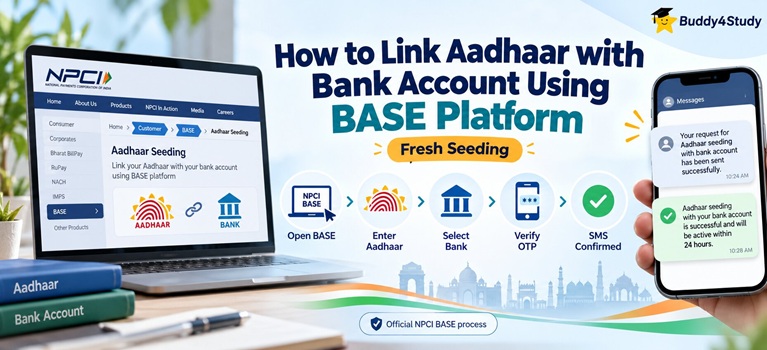
How to Link Aadhaar with Bank Account Using BASE (Fresh Seeding)

1. Visit npci.org.in
2. Click on the “Customer” tab on the homepage
3. Click on “Bharat Aadhaar Seeding Enabler (BASE)”
4. Select “Request for Aadhaar Seeding” from the options displayed

6. Enter your 12-digit Aadhaar number
7. Select your bank from the dropdown
8. Enter your bank account number and confirm it by entering it again
9. Click on the undertaking option to acknowledge the declaration
10. Enter the captcha and accept the terms and conditions
11. An OTP will be sent to your Aadhaar-registered mobile number; enter it and confirm
12. An SMS will confirm that the seeding request has been sent to NPCI
13. Within 24 hours, a second SMS will confirm that the bank account has been successfully seeded
How to Check Aadhaar Mapped Status via BASE
1. Visit npci.org.in and navigate to Customer then Bharat Aadhaar Seeding Enabler (BASE)
2. Select “Aadhaar Mapped Status”
3. Enter your Aadhaar number, enter the captcha, and click “Check Status”
4. Complete OTP verification on your registered mobile number
5. The status will be displayed: “Enabled for DBT” indicates the account is seeded; “Not Enabled for DBT” indicates it is not
Students can also check bank seeding status directly at myaadhaar.uidai.gov.in by navigating to My Aadhaar and selecting “Bank Seeding Status.”