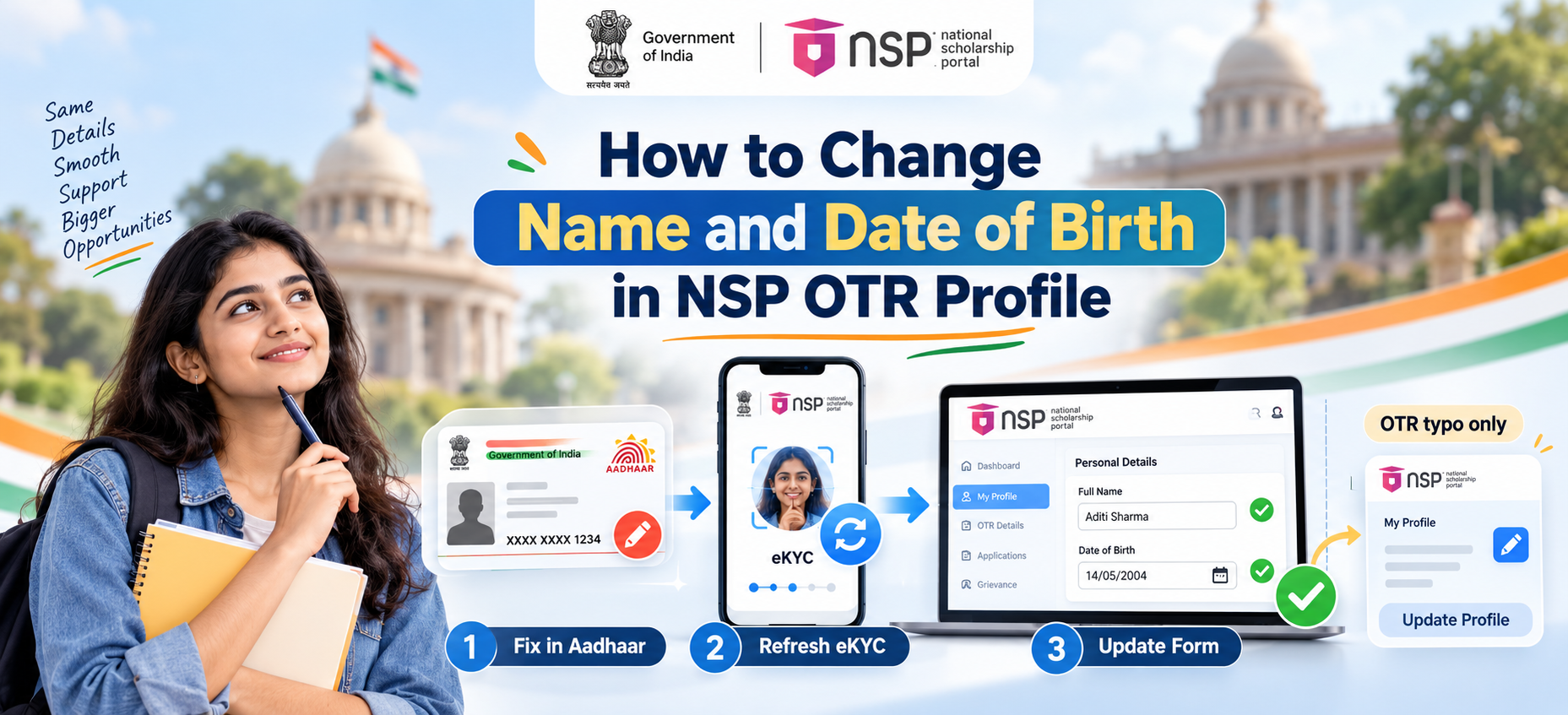

Scenario 1: The Error is Only in Your OTR Profile (Not in Aadhaar)
If your Aadhaar card already shows the correct name or date of birth and the mismatch is only a typographical error in your NSP OTR profile, you can correct it directly.
1. Log in to your OTR account at scholarships.gov.in using your OTR credentials.
2. Navigate to the “Update Profile” section from your dashboard.
3. Locate the Applicant Name field and make the required correction.
4. Save the changes.

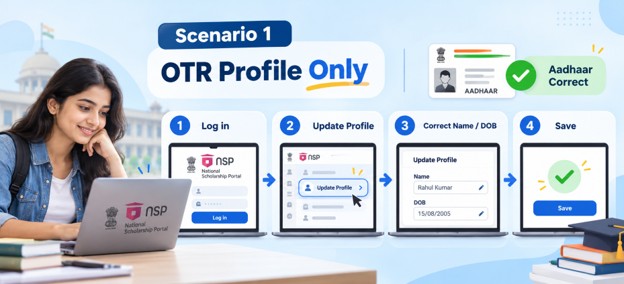
Scenario 2: The Error is in Your Aadhaar Itself
If your Aadhaar shows an incorrect name or date of birth, you must first correct the Aadhaar record before the NSP OTR profile can be updated. As per the official UIDAI website, name and date of birth are classified as demographic information and can be updated by visiting an Aadhaar Enrolment Centre with supporting documentary proof.
Once your Aadhaar has been corrected, follow these steps to update the NSP OTR profile:
1. Open the NSP OTR App on your Android device.

3. Complete face authentication using the AadhaarFaceRD app. Your Aadhaar biometrics must be unlocked before you begin.
4. After successful face authentication, your updated Aadhaar details (name, date of birth, gender, and photograph) will reflect in your OTR profile automatically.
Also Read: Can We Complete NSP OTR Without Face Authentication?
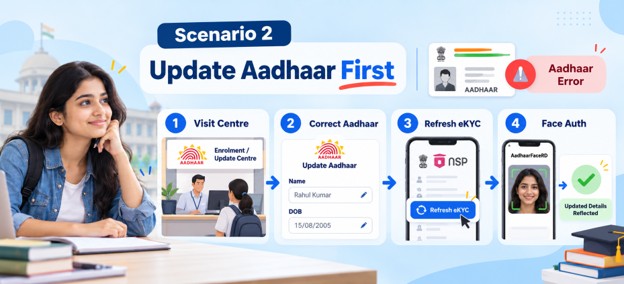
Sync the Updated Details to Your NSP Application Form
Updating your OTR profile alone is not enough. You must also refresh the details in your NSP scholarship application form separately. This step must be completed before submitting the application.
1. Log in to the NSP Application Form at scholarships.gov.in.
2. Go to “My Profile” on the navigation menu.
3. Select “Refresh eKYC Details from OTR.”
4. Click “Refresh Applicant Details from OTR.”
5. The portal will display your current details as per OTR alongside the details on the form. Select the fields you want to update (Name, Date of Birth, Gender, Profile Photo).
6. Click the “Update” button to sync the corrected data.
Also Read: How to Fix NSP OTR Face RD Authentication Failure
Important Facts
| Detail | Information |
| Can name/DOB be edited directly on NSP OTR? | No, changes must originate from Aadhaar |
| For typos in OTR only | Use “Update Profile” option after logging in to OTR |
| For errors in Aadhaar | Visit an Aadhaar Enrolment Centre with supporting documents, then refresh eKYC on NSP OTR app |
| Fields updated via fresh eKYC | Name, Date of Birth, Gender, Profile Photo |
| Update in application form | My Profile → Refresh eKYC Details from OTR → Update |
| Deadline to update | Before submitting the scholarship application |
| NSP helpdesk | 0120-6619540 or helpdesk@nsp.gov.in |
FAQs
Can I change my date of birth in NSP OTR without updating Aadhaar?
No. The date of birth in your NSP OTR profile is pulled directly from your Aadhaar record. If the date of birth on Aadhaar is incorrect, you must first update it at an Aadhaar Enrolment Centre with valid proof. Once Aadhaar is updated, use the “Refresh eKYC” option in the NSP OTR app to sync the changes to your OTR profile.
What documents are needed to update name or DOB on Aadhaar?
UIDAI accepts a range of documents for name and date of birth updates, including a birth certificate, passport, PAN card, or Class 10 marksheet. You must visit a registered Aadhaar Enrolment Centre and submit the relevant documents for verification. Full document details are available at uidai.gov.in.
Can I update my NSP OTR profile after submitting the scholarship application?
The official NSP FAQ states that eKYC details can be refreshed in the application form only before submission. If your application is already submitted and contains an incorrect name or date of birth, contact the NSP helpdesk at 0120-6619540 or helpdesk@nsp.gov.in for further guidance.