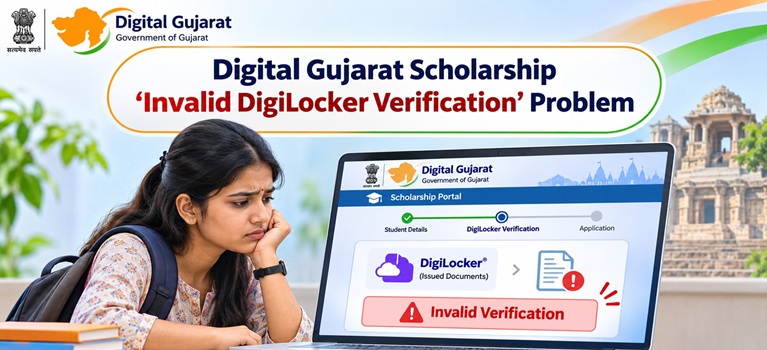

How DigiLocker Verification Works on Digital Gujarat
When you fill the scholarship form on digitalgujarat.gov.in or gssp.gujarat.gov.in, the portal prompts you to verify your caste or income certificate using a certificate number or barcode. The system then checks whether a matching, digitally signed document exists as an “Issued Document” in your DigiLocker account under the issuing authority, typically “Revenue Department Gujarat” or “Digital Gujarat.” If the system cannot find, read, or match the document, it returns an “Invalid DigiLocker Verification” error.
Certificates are pushed to DigiLocker only after they are approved and digitally signed by the concerned authority on the Digital Gujarat portal. A certificate that is still pending approval, or one that was issued as a paper document, will not be verifiable through this system.
Also Read: Digital Gujarat Scholarship 2026-27 – Application, Eligibility and Status
Common Reasons for “Invalid DigiLocker Verification”
| Reason | Explanation |
| Certificate not yet approved on Digital Gujarat | Documents are pushed to DigiLocker only after the certificate is approved and digitally signed on digitalgujarat.gov.in. A pending certificate will not appear as a valid Issued Document. |
| Paper certificate instead of digital certificate | Only QR-coded digital certificates issued through the Digital Gujarat portal or Aaple Sarkar Seva Kendra can be verified. Old handwritten or paper certificates cannot pass digital verification. |
| Wrong certificate number or barcode entered | Entering an incorrect barcode or certificate number during form filling causes the system to fail the check. Even a single digit error triggers the error. |
| Certificate not linked to Aadhaar | DigiLocker requires a valid Aadhaar-linked account. If your Aadhaar is not properly connected to your DigiLocker, Issued Documents may not be accessible to the scholarship portal. |
| Certificate issued for a previous financial year | Income certificates must be valid for the current academic year. An expired income certificate from the previous year will not pass DigiLocker verification. |
| Name mismatch between Aadhaar and certificate | If the name on the certificate differs from the name on your Aadhaar record, the system flags it as a mismatch and returns a verification failure. |
| DigiLocker or portal server issue | Temporary server downtime or slow connectivity on digilocker.gov.in or digitalgujarat.gov.in can cause the verification to fail even when documents are correct. |
How to Fix the “Invalid DigiLocker Verification” Error
Step 1: Check the certificate status on Digital Gujarat
Log in at digitalgujarat.gov.in and go to My Services or Service Requests. Find your income or caste certificate application and check whether the status shows “Approved.” If it shows “Pending” or “In Process,” wait for approval before attempting the scholarship form again. The certificate will only be verifiable in DigiLocker after it reaches Approved status.

Log in at digilocker.gov.in with your Aadhaar-registered mobile number. Navigate to “Issued Documents” and search for “Revenue Department Gujarat” or “Digital Gujarat.” Your income or caste certificate should appear there once approved. If it does not appear yet, the document is not ready for digital verification.
Step 3: Check the certificate number carefully
Go back to the scholarship form and re-enter the certificate number or scan the QR code on the digital certificate exactly as printed. Even a single character error will cause the error.
Step 4: Apply for a fresh digital certificate if needed

Step 5: Retry at off-peak hours
If the certificate is correctly available in DigiLocker but the error persists, try again during off-peak hours such as early morning or late evening. Server load on digitalgujarat.gov.in and digilocker.gov.in is highest during application window peak days.
Also Read: How to Check Aadhaar Seeding Status in NPCI Mapper for Scholarship
Documents Required for Digital Gujarat Scholarship
All certificates must be QR-coded digital documents issued through the official Gujarat government portal:
1. Aadhaar Card (Aadhaar-linked bank account mandatory for DBT)
2. Digital Caste Certificate: SC, ST, SEBC, OBC or applicable category, issued by competent authority
3. Income Certificate: issued by Mamlatdar or TDO, valid for current financial year 2026-27; income limits vary by scheme and category
4. Domicile Certificate (Gujarat residence proof)
5. Previous year mark sheet
6. Current year bonafide certificate and fee receipt from the institution
7. Bank passbook (first page, with IFSC and Aadhaar-seeded account)
Digital Gujarat Helpline
If the error persists after following all the above steps, raise a grievance at digitalgujarat.gov.in/Grievance with your Application ID and certificate reference number, or contact:
1. Helpline: 1800-233-5500 (Toll-Free, working days)
2. Email: support-digitalgujarat@gujarat.gov.in
3. Official Scholarship Portal (2026-27): gssp.gujarat.gov.in
4. Official Portal: digitalgujarat.gov.in