
What Is PFMS and Why Does It Reject Accounts?
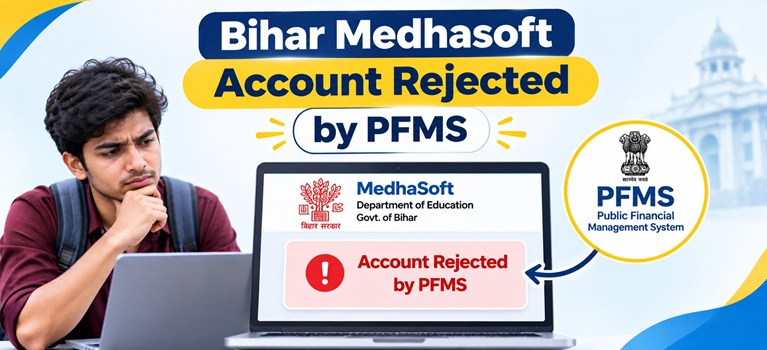
After your Medhasoft application is approved by the Bihar Education Department, the payment file is routed through PFMS, which validates each beneficiary’s bank account before releasing funds. PFMS checks the account number, IFSC code, name, Aadhaar seeding status, and account activity. If any of these fail the check, PFMS returns a rejection code and no payment is processed until the error is corrected and the account is revalidated.
Also Read: Bihar Post Matric Scholarship
Common Reasons for PFMS Account Rejection on Medhasoft
The table below lists the PFMS validation rejection reasons that appear on the Medhasoft portal, along with the required fix for each:
| Rejection Reason | Explanation | Fix Required |
| Aadhaar number not seeded in NPCI | The most common reason. Your Aadhaar may be linked to a bank account but has not been specifically enabled for DBT through NPCI mapping. Linking and seeding are two different steps. | Visit the bank branch; request NPCI Aadhaar Seeding for DBT; allow 7 to 10 working days |
| UID is Disabled for DBT / Never Enabled for DBT | Your Aadhaar has never been activated for DBT payment receipt at the NPCI level | Visit the bank branch; submit the Aadhaar seeding consent form; ask specifically for NPCI DBT activation |
| Account number is invalid or does not exist in bank | The account number entered on Medhasoft is incorrect or no longer exists | Log in via Defected Login on medhasoft.bihar.gov.in and correct the account number |
| Invalid IFSC code | The IFSC code entered is wrong, outdated, or belongs to a merged bank branch | Verify the current IFSC on your bank passbook or the bank’s official website; update via Defected Login |
| Bank name and IFSC code do not match | The bank name and IFSC code entered are from different branches or banks | Correct both bank name and IFSC code via Defected Login so they match your current account |
| Account status is closed or blocked | The account was closed, frozen, or blocked after the application was submitted | Visit the bank branch with Aadhaar and identity proof; activate the account or provide a new one via Defected Login |
| Invalid account: validation pending since over 6 months | PFMS sent the account for validation but the bank has not responded, often due to incomplete KYC | Visit the bank branch; complete KYC update; reconfirm Aadhaar seeding |
| Bank merged with another bank | The bank branch IFSC became invalid after a merger | Get the new IFSC from the merged bank and update via Defected Login |
| Name mismatch | The name on the Medhasoft application does not match the name on the bank account | Correct the name at the bank or update Aadhaar at myaadhaar.uidai.gov.in; then update via Defected Login |
How to Check Your Specific Rejection Reason
1. Visit medhasoft.bihar.gov.in
2. Click on Student Payment Status

4. Read the rejection reason displayed against your application; this is the starting point for all fixes
How to Fix a Medhasoft PFMS Rejection
Step 1: Use Defected Login to correct application details
Go to medhasoft.bihar.gov.in and click on “Defected Login.” Enter your registration credentials and read the specific defect remark. Correct the bank account number, IFSC code, or other flagged details and save the update. This is the portal’s official route for correcting rejected records.
Step 2: Fix Aadhaar seeding at your bank (most common fix)

You can verify that seeding is active at npci.org.in or at myaadhaar.uidai.gov.in/bank-seeding-status before returning to Medhasoft.
Also Read: How to Check Aadhaar Seeding Status in NPCI Mapper for Scholarship
Step 3: Reactivate a dormant or closed account
If your account is closed or dormant, visit the bank branch with your Aadhaar and original identity proof. Request reactivation and ensure that Aadhaar seeding for DBT is re-enabled once the account is active. If the account cannot be reactivated, open a new account in your own name, complete Aadhaar seeding on it, and update the new account details via Defected Login on Medhasoft.
Step 4: Track payment reprocessing on PFMS
After correcting the details, track whether PFMS has validated your account by visiting pfms.nic.in and clicking “Know Your Payment.” Enter your bank account number to check the validation and payment status. PFMS account validation typically takes 3 to 7 working days after a correction is submitted.
A “Rejected by PFMS” status does not cancel your scholarship. Funds remain held by the department until the account is successfully validated and payment is reprocessed.
Medhasoft Helpline
1. Medhasoft Helpline: 9534547098, 8986294256
2. PFMS Portal: pfms.nic.in
3. Official Medhasoft Portal: medhasoft.bihar.gov.in
4. NPCI Aadhaar Seeding Check: npci.org.in
5. Aadhaar Seeding Status (UIDAI): myaadhaar.uidai.gov.in/bank-seeding-status
Also Read: NSP OTR Number Not Received After Face Verification – Causes and Fixes
FAQs: Bihar Medhasoft Account Rejected by PFMS
Does “Rejected by PFMS” on Medhasoft mean my scholarship has been cancelled?
No. A PFMS rejection is a bank account validation failure, not a scholarship cancellation. Your scholarship approval remains intact. Once you correct the bank or Aadhaar seeding details and PFMS successfully validates the account, payment is reprocessed.
What is the most common reason for Medhasoft account rejection by PFMS?
The most common reason is Aadhaar not being seeded in the NPCI mapper for DBT. Aadhaar being linked to a bank account is not the same as Aadhaar seeding. You must visit your bank branch and specifically request NPCI Aadhaar Seeding for DBT.
How do I correct my bank details after PFMS rejection on Medhasoft?
Log in to medhasoft.bihar.gov.in using the “Defected Login” option. Read the specific rejection remark, correct the wrong account number, IFSC code, or other flagged field, and save. The updated details are then resubmitted to PFMS for revalidation.
How long does PFMS take to validate a corrected Medhasoft account?
After submitting corrections, Aadhaar seeding typically reflects in the NPCI mapper within 7 to 10 working days. PFMS account revalidation then takes a further 3 to 7 working days. You can track the status at pfms.nic.in under “Know Your Payment.”
Can I update my bank account to a new one after Medhasoft account rejection by PFMS?
Yes, if the original account is closed or cannot be reactivated, open a new account in your own name, complete Aadhaar seeding for DBT on it, and update the new account details through the Defected Login section on medhasoft.bihar.gov.in.