
Can You Edit the Digital Gujarat Scholarship Form After Final Submission?
The answer depends on whether your institution has already acted on the application. The table below summarises each situation, based on the 2026-27 guidelines.
| Situation | Can the Student Correct It? | Correction Route |
| Form saved but not final submitted | Yes | Edit the form directly and then final submit |
| Final submitted, institution has not acted yet | Yes | Use “Withdraw” in the student login, correct and send again |
| Final submitted, institution has acted | No | The institution returns the form to the student for correction |
| Registered mobile number lost or closed | No (not online) | Visit the district SC/ST/OBC office with identity proof |
The guidelines also warn that if you select the wrong institution or course, the application goes online to that institution, and the responsibility lies with the student.
How to Use the Withdraw Option on Digital Gujarat
The Withdraw facility lets you pull back your own application and correct it without visiting anyone. It works only while the institution has taken no action on the form.
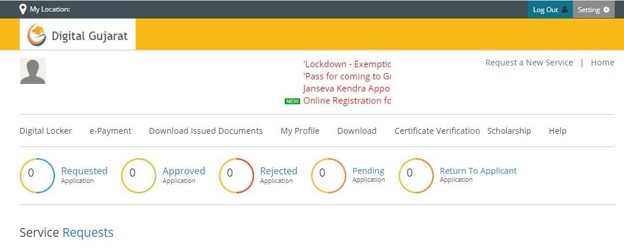
1. Open the Gujarat State Scholarship Portal and click Citizen Login.
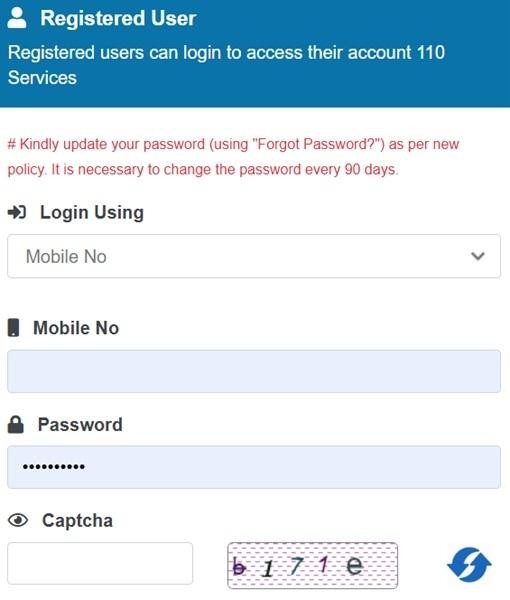
2. Log in with your registered mobile number (user ID) and password.

4. Open your submitted application and click Withdraw.
5. Correct the required details under Registration Detail, Bank Detail, Academic Detail or Disability Detail, and replace any wrong document.
6. Click Verify Mobile Number, enter the OTP received on your mobile and click Confirm & Final Submit.
7. Take a fresh printout and submit it with the supporting documents to your school, college or institution.

Also Read: Digital Gujarat Scholarship
When the Institution Has Already Acted: Ask for a Revert
If the Withdraw option is no longer available, the institution has already processed your form. The official guidelines direct the institution to return the application to the student for the required corrections and to inform the student about them.
1. Visit your institution’s scholarship desk with your application printout.
2. Explain the exact error and carry the correct document, such as a corrected marksheet or bank passbook.
3. After the institution returns the form, log in, make the correction, verify the mobile OTP and final submit again.
4. Submit the new printout to the institution.
How to Update Your Digital Gujarat Profile Details
Your citizen profile is separate from the scholarship form, and the SEBC guideline states that a student can apply online only after updating My Profile. These official rules apply to profile details:
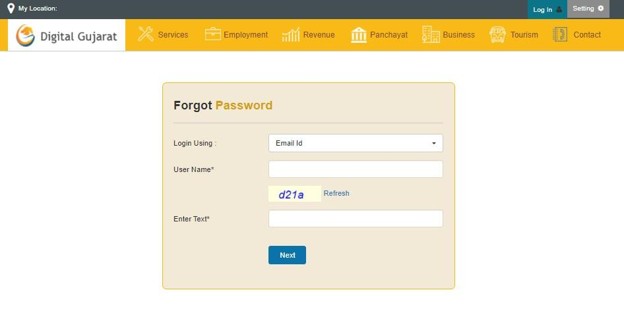
1. Forgot password: Click Forgot Password on the login page and get an OTP on your registered mobile number to set a new password. Your mobile number remains your user ID.
2. Lost or closed mobile number: Contact the district SC/ST/OBC office, establish your identity and get the profile mobile number changed.
3. Keep the number active: The guidelines ask students to keep the registered mobile number working until the scholarship or assistance is received for the full course.
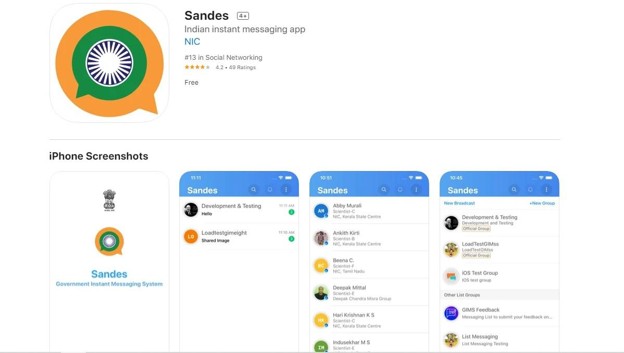
4. OTP alerts: The portal recommends NIC’s SANDES app for receiving login alerts and OTPs from Digital Gujarat instantly.
Also Read: Digital Gujarat Scholarship “Invalid DigiLocker Verification” Problem
Rules to Check Before You Resubmit
A correction is your chance to fix every error at once. The 2026-27 guidelines set these conditions:
1. Upload scans of original documents only. Caste and income certificates must be issued by the competent authority.
2. Scholarship payment is Aadhaar-based, so the amount goes to the bank account linked or seeded with your Aadhaar.
3. A dormant bank account cannot receive the scholarship, so confirm with your bank that the account is active.
4. Giving false information or hiding information can get a student blacklisted from the scholarship.
5. An application that is not final submitted, or whose printout is not submitted to the institution, will not be considered.
6. Students in rural areas can fill the form through an E-gram centre.
Digital Gujarat Scholarship Application Windows Open Now
| Category | Scheme | Application Window |
| Scheduled Caste (SC) | Post-Matric Scholarship 2026-27 (reopened) | November 17 to December 16, 2026 |
| Scheduled Tribe (ST) | Post-Matric Scholarship and allied schemes 2026-27 | September 1 to November 30, 2026 |
Digital Gujarat Helpline
Toll-free: 18002335500
Email: dss-support@gujarat.gov.in
Timings: 10:00 AM to 6:00 PM, Monday to Sunday
Also Read: Digital Gujarat Login
FAQs
Q1. Can I edit my Digital Gujarat scholarship form after final submission?
Not directly. The official 2026-27 guidelines state that no changes are allowed after “Confirm & Final Submit”. You can use the Withdraw option in your login before the institution acts on your form, or ask the institution to return the application for correction.
Q2. What is the Withdraw option on Digital Gujarat?
Withdraw is a facility in the student login that lets you pull back your submitted scholarship application. It works only while your institution has taken no action on the form. After withdrawing, you can correct the details, verify your mobile OTP and submit again.
Q3. What should I do if the Withdraw option is not available?
This means the institution has already acted on your application. Visit the institution’s scholarship desk with the correct documents. As per the official guidelines, the institution can return the application to you, after which you can correct it and final submit again.
Q4. Which details can I correct after withdrawing my Digital Gujarat application?
After withdrawing, you can correct details under Registration Detail, Bank Detail, Academic Detail and Disability Detail, and replace any wrongly uploaded document. Once the corrections are complete, click Verify Mobile Number, enter the OTP and click Confirm & Final Submit to resend the application.
Q5. How can I change the mobile number in my Digital Gujarat profile?
If your registered mobile number is lost or closed, contact the district SC/ST/OBC office. After you establish your identity, the office can change the mobile number in your profile. Keep the new number active until the scholarship is received for the full course.
Q6. Do I need to submit the printout again after correcting my application?
Yes. After correcting the form and completing Confirm & Final Submit, take a fresh printout and submit it with the supporting documents to your institution. The guidelines state that applications without a printout submitted to the institution will not be considered for the scholarship.
Q7. What happens if I select the wrong institution or course on Digital Gujarat?
As per the 2026-27 guidelines, the application goes online to the institution you selected, and the responsibility lies with the student. If the institution has not acted yet, use the Withdraw option to correct it; otherwise, request the institution to return the application.
Q8. What is the Digital Gujarat helpline number for scholarship correction issues?
You can call the Digital Gujarat toll-free number 18002335500 or email dss-support@gujarat.gov.in. The support team is available from 10:00 AM to 6:00 PM, Monday to Sunday, and handles application, scholarship service and payment-related issues, including problems with correcting a submitted form.